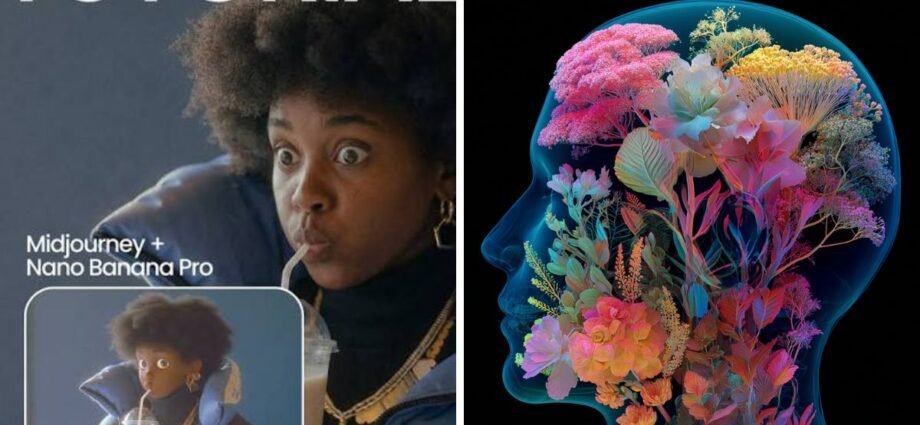
If you’ve spent any time in AI art communities lately, you’ve probably noticed the same two names popping up in every thread: Nano Banana and Midjourney. Both promise stunning images from a simple text prompt, but they don’t actually solve the same problem. Once you understand what each one is built for, picking between them gets a lot easier.
The Two Names Everyone’s Throwing Around Right Now
Nano Banana is the nickname that stuck to Google’s Gemini image model after it quietly took over creative forums earlier this year. Midjourney, on the other hand, needs no introduction — it’s been the gold standard for painterly, cinematic AI imagery since 2022. What changed recently is that Nano Banana caught up on quality while pulling far ahead on something Midjourney has never prioritised: control.
So instead of asking which tool is “better,” a more useful question is what you’re trying to make, and how much back-and-forth you’re willing to do to get there.
What Midjourney Still Does Better Than Anyone
Type a short, vague prompt into Midjourney, and you’ll often get something that looks like a finished piece of concept art — moody lighting, rich colour grading, a sense of atmosphere that feels almost intentional rather than generated. That’s Midjourney’s whole identity. It has opinions about beauty, and most of the time those opinions are good ones.
This makes it a favourite for mood boards, album covers, fantasy art, and anything where the vibe matters more than pixel-perfect accuracy. If you want something that looks like it came out of a big-budget film’s art department, Midjourney is usually still the fastest way there.
Where Nano Banana Pulls Ahead
Where Midjourney gives you a beautiful first draft, Nano Banana gives you something you can actually keep working on. That difference matters more than it sounds.
Editing Without Starting Over
Ask Nano Banana to change the background, swap an outfit, or fix a stray object in the frame, and it does it while keeping the rest of the image untouched. You’re not rerolling the whole picture and hoping the good parts survive — you’re editing, the same way you’d edit a photo, except through plain language instead of a mouse and a selection tool. That single feature is why so many product photographers, marketers, and small studios have quietly switched over for anything production-related.
Text That Actually Reads Correctly
Anyone who’s tried to get a poster, a sign, or a logo out of an AI image tool knows the pain of garbled letters. Nano Banana handles longer phrases and specific layouts far more reliably than older diffusion-based tools, which makes it genuinely usable for packaging mockups, social graphics, and anything where the words in the image actually need to say something.
From Still Image to Moving Scene
Here’s something worth thinking about before you settle on either tool: a static image is often just the starting point. Once you’ve got a character, a product shot, or a scene you like, the next question is usually “can this move?” That often leads creators, beyond AI image generators, to platforms designed specifically to transform still images into engaging short videos. If you want to see what that looks like without committing to anything, the Seedance free video generator lets you feed in a still image and get an animated version out, no editing software required.
Picking Based on What You’re Actually Making
A rough way to think about it:
- Whether you’re creating concept art, mood boards, or personal pieces, Midjourney’s artistic style helps shape impressive results with minimal effort.
- Product photography, ads, anything with text — Nano Banana’s editing precision saves you the frustration of rerolling ten times for one small fix.
- Character consistency across a series of images — Nano Banana again, since it can hold onto facial structure and details across multiple generations far more reliably.
- Fast, expressive concept sketches to bounce around ideas — Midjourney’s speed and style still shine here.
Plenty of people don’t actually pick one. They’ll rough out a concept in Midjourney because it nails the mood almost instantly, then bring that image into Nano Banana to clean up details, fix text, or make it consistent across a set. Using both isn’t cheating — it’s just matching the tool to the step.
Bringing Video Into the Same Workflow
Once you’ve landed on a final image, whether it came from Midjourney, Nano Banana, or a mix of both, animating it is the natural next step for a lot of projects — think product teasers, character intros, or short social clips. This is where a purpose-built video model does a better job than either image tool, since neither Midjourney nor Nano Banana was designed to handle motion, timing, or camera movement. Seedance 2.5 is built specifically for that jump, taking a finished image and generating smooth, coherent motion around it rather than just adding a generic pan-and-zoom effect. It’s a good example of how the image-generation stage and the video stage are becoming two separate steps in the same creative process, rather than competing tools trying to do everything at once.
The Honest Verdict
There isn’t a single winner here, and that’s not a cop-out — it’s genuinely how these two tools shake out. When visual impact matters from the very beginning, Midjourney is often the preferred choice.
Nano Banana is the one you reach for when you need to keep refining, fix mistakes, or get text and details exactly right. The smartest move isn’t picking a side; it’s knowing which job you’re doing today and choosing accordingly. And once the image is locked in, don’t forget that turning it into motion is just as easy as generating it was.
READ MORE: clocktimes