Docker has revolutionised how developers create, package, and deploy modern software applications. Instead of worrying about differences between development and production environments, developers can package everything needed into lightweight containers. However, modern applications rarely consist of a single container. A typical web application may require a frontend, backend, database, cache, and messaging service working together. Managing each container individually quickly becomes complicated.
This is where Docker Compose becomes incredibly valuable. Docker Compose is a powerful tool that allows developers to define and manage multiple Docker containers using a single YAML configuration file. Instead of running long Docker commands every time an application starts, developers simply define their services once and launch the entire application with one command. Whether you are learning Docker for the first time or managing enterprise applications, understanding Docker Compose is an essential skill that saves time, reduces errors, and improves productivity.
What Is Docker Compose?
Docker Compose is an official Docker tool designed to define and run multi-container applications. It uses a file named compose.yaml or docker-compose.yml, where every service required by an application is described. This includes application containers, databases, networking settings, environment variables, mounted volumes, and startup dependencies. Once the configuration is complete, Docker Compose automatically creates the required containers and connects them according to the defined settings. Developers no longer need to remember numerous Docker commands because everything is stored in a single configuration file.
This approach makes projects easier to understand, maintain, and share with teammates. Since the configuration file is portable, every developer working on the same project can create an identical environment without manual setup, reducing compatibility issues significantly.
Why Docker Compose Is Important
Today’s applications typically rely on multiple connected services rather than a single standalone program. A web application might require a PostgreSQL database, a Redis cache, an API service, and a frontend server running simultaneously. Launching every component individually increases complexity and leaves room for mistakes.
Docker Compose simplifies this process by starting every required service together with one command. It also automatically creates an isolated network where containers communicate using service names instead of IP addresses. This built-in networking eliminates much of the manual configuration developers previously handled. Furthermore, Docker Compose allows developers to stop, restart, rebuild, or remove the complete application stack just as easily, making it an excellent solution for both beginners and experienced professionals.
How Docker Compose Works
The workflow of Docker Compose follows a simple yet efficient process. Developers first create a Dockerfile if a custom application image is required. Next, they define every service inside a compose. .yaml file. Each service specifies details such as the Docker image, exposed ports, environment variables, mounted storage volumes, and startup dependencies.
After saving the file, running the docker compose up command instructs Docker to read the configuration, build images when necessary, create networks, mount volumes, and launch every container automatically. If changes are made later, Docker Compose intelligently rebuilds only the modified components instead of recreating the entire application. This optimisation speeds up development and makes testing new features much more efficient.
Understanding the Structure of a Compose File
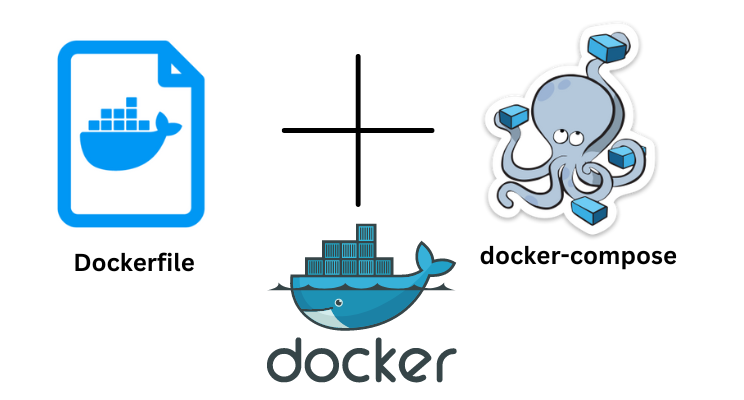
A compose.yaml file is the heart of every Docker Compose project. The file begins with a services section, where each application component is defined separately. For example, a web server and a database are treated as individual services. Every service can specify the Docker image to use, the build location for custom images, published ports, environment variables, mounted directories, restart policies, and networking options. Below the services section, developers may define volumes, which store persistent data independently of containers.
This ensures important information such as databases remains available even after containers are removed or recreated. The configuration file is written in YAML format, making it easy to read and edit while remaining highly flexible for projects of every size.
Key Features of Docker Compose
One of the greatest strengths of Docker Compose is its simplicity. A single configuration file replaces numerous complex terminal commands, making project management much easier. Automatic service discovery enables containers to communicate using service names rather than manually assigned IP addresses. Built-in network creation provides secure communication between application components without requiring additional configuration.
Persistent storage through Docker volumes protects important data from accidental deletion during container updates. Environment variables simplify application customisation across different environments, while dependency management ensures services start in the correct order. Docker Compose also supports rebuilding only changed images, reducing build times and increasing developer productivity. These features combine to create a streamlined workflow suitable for personal projects, startups, and enterprise software development.
Common Docker Compose Commands
Learning a few essential commands allows developers to manage nearly every Docker Compose project efficiently. The docker compose up command starts all configured services, while adding the -d option runs them in the background. When application code changes, docker compose up –build rebuilds modified images before launching containers. Developers can check container status using docker compose ps, making it easy to confirm which services are currently running.
The docker compose logs -f command displays live logs from all services, simplifying debugging and monitoring. Running docker compose exec allows developers to open an interactive shell or execute commands inside a running container. Finally, docker compose down stops all services and removes the created network, while docker compose down -v additionally removes associated volumes when complete cleanup is required.
Benefits for Development Teams
Collaboration becomes much easier when every team member uses the same development environment. Without Docker Compose, developers often spend hours configuring databases, installing dependencies, or resolving version conflicts. Docker Compose eliminates these problems by defining the complete environment in one reusable configuration file. New team members simply clone the project repository and run one command to launch the entire application.
This consistency minimises unexpected behaviour across different operating systems and development machines. Testing teams also benefit because applications behave the same way throughout development, quality assurance, and staging environments. The result is faster onboarding, fewer deployment issues, and more reliable software releases.
Best Practices for Using Docker Compose
To get the most from Docker Compose, developers should follow several recommended practices. Keep the configuration file organised by using meaningful service names that clearly describe each component. Store sensitive information such as passwords in environment variables rather than directly inside the Compose file. Use named volumes for persistent application data to prevent accidental loss during updates.
Separate development and production configurations whenever different settings are required. Remove unused containers and images periodically to conserve storage space and improve performance. Regularly update Docker images to receive the latest security improvements and software updates. Maintaining clean, readable configuration files also makes troubleshooting and future maintenance much easier.
Common Mistakes to Avoid
Although Docker Compose is straightforward to use, beginners sometimes make avoidable mistakes. Forgetting to mount persistent volumes can result in permanent data loss when containers are recreated. Hardcoding sensitive credentials inside configuration files creates unnecessary security risks. Publishing unnecessary ports may expose internal services to external access, increasing security concerns. Ignoring dependency relationships can cause applications to fail if required services have not started yet.
Another common mistake is relying on outdated Compose syntax or deprecated commands instead of the modern docker compose command. Following Docker’s current recommendations helps maintain compatibility with newer Docker releases and ensures long-term project stability.
Docker Compose in Real-World Projects
Today, Docker Compose is widely used in web development, API development, microservices, DevOps workflows, and software testing. A typical application might include a frontend framework, backend API, relational database, cache server, and background worker, all managed through a single Compose file.
Developers can easily recreate production-like environments on their local computers, reducing deployment surprises later. Automated testing systems also rely on Docker Compose to launch complete application stacks before executing test suites. Because every service starts consistently, development becomes more predictable and efficient. Even small personal projects benefit from the organised structure and simplified management that Docker Compose provides.
Conclusion
Docker Compose has become an essential tool for modern software development because it removes the complexity of managing multiple Docker containers individually. By defining services, networks, environment variables, and storage inside a single configuration file, developers can launch complete applications with minimal effort. Its ability to create consistent environments, automate networking, simplify collaboration, and speed up development makes it valuable for projects of every size. Whether you are building a simple website or a sophisticated microservices platform, learning Docker Compose will improve your workflow, reduce configuration errors, and make containerised application management significantly more efficient.
Frequently Asked Questions
1. What is Docker Compose used for?
Docker Compose is used to define and manage multi-container Docker applications through a single YAML configuration file.
2. Is Docker Compose free to use?
Yes. Docker Compose is included with Docker and is free to use under Docker’s available licensing terms.
3. What is the difference between Docker and Docker Compose?
Docker manages individual containers, while Docker Compose manages multiple related containers as a single application.
4. Which file does Docker Compose use?
Docker Compose primarily uses a compose.yaml or docker-compose.yml file to define services, networks, and volumes.
5. What command starts all Docker Compose services?
The standard command is docker compose up, while docker compose up -d starts services in the background.
READ MORE: clocktimes